


Opening a Forex demo account lets you practise a platform workflow with simulated funds before risking capital. The useful work is not simply clicking “open”: verify the provider, symbol specification, account currency, virtual leverage and order rules, then record assumptions. A demo is a learning environment, not evidence of live execution or future performance.
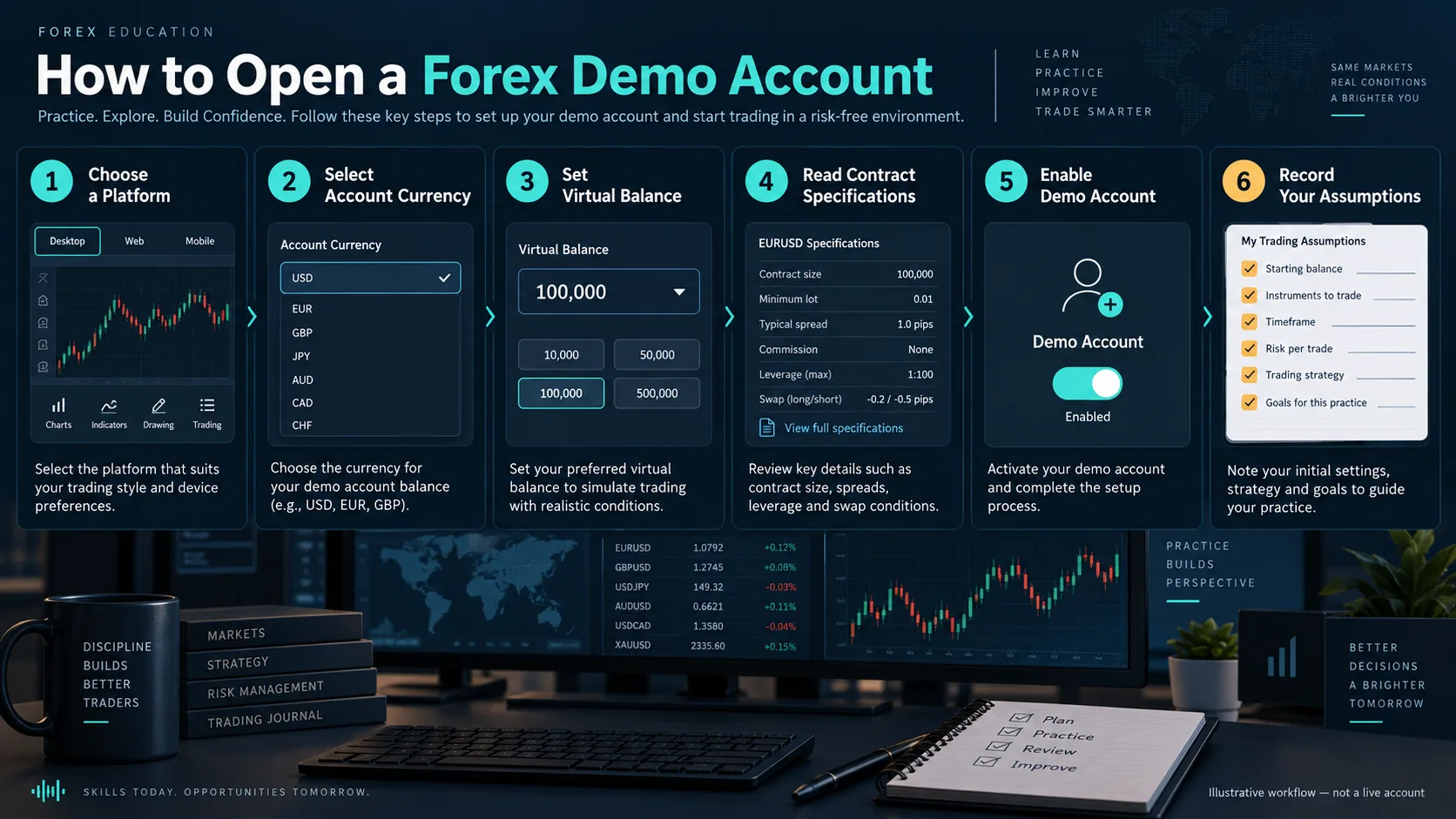
What a Forex demo account is (and is not)
A demo account mirrors some platform functions with virtual funds. It can help you learn chart navigation, order tickets, margin fields, stop-loss placement and journaling. It may not reproduce live liquidity, spread widening, slippage, rejects, requotes, financing or emotional pressure. Treat every result as simulated until verified under current live terms.
Start with the site’s technical-analysis frameworks guide to define what you are testing. The demo is for process rehearsal, not a shortcut to a trading recommendation.
Choose a provider and check the account terms
Use the provider’s official site and read the jurisdiction, legal entity, complaint route, data policy and account terms. Avoid treating a marketing screenshot as proof of regulation or execution quality. If an entity, register or fee is not verified, mark it as “not verified” rather than guessing.
- Confirm the platform download source and account type.
- Record the account currency and whether symbols are Forex, CFD or another product.
- Check virtual leverage, contract size, digits, trading hours, spread mode and swap policy.
- Note whether the demo expires or resets and how historical data is supplied.
Set up the demo specification
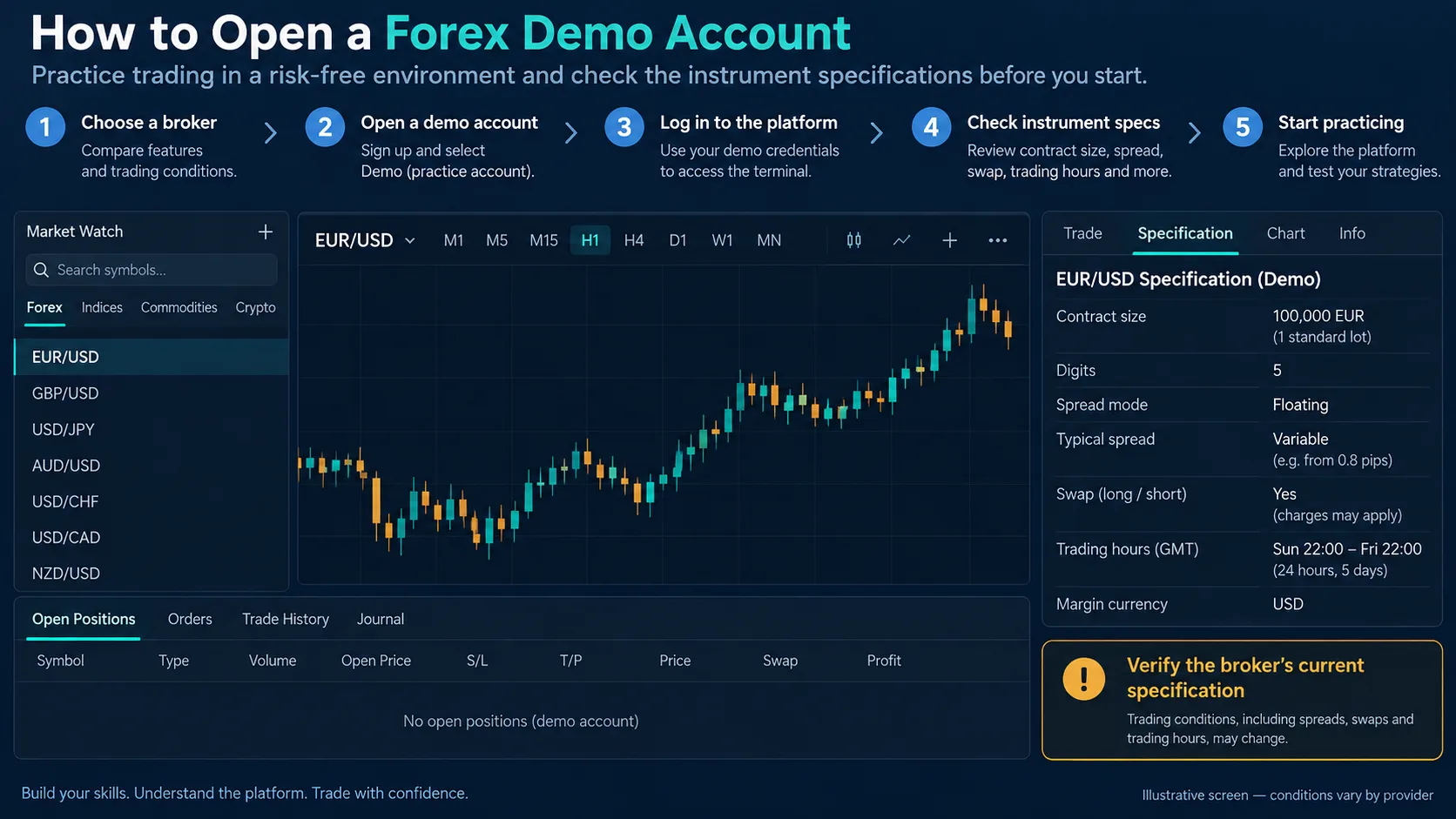
Before placing an order, open the symbol specification and capture the fields that affect a test: contract size, tick size, minimum volume, volume step, margin currency, swap long/short, commission and trading sessions. A EUR/USD label alone is not enough to calculate pip value or margin.
Keep a dated copy of the specification. Providers can change contract details, spreads or rollover rules. This is especially important when a demo account is used to test a cost-sensitive method.
Open and configure the account step by step
- Use an official provider or platform installation and confirm the legal entity shown in the terms.
- Select a demo account type and currency that match the question you want to study.
- Set a virtual balance and leverage that do not make the exercise unrealistic.
- Enable the intended symbols, time zone and chart history; check data gaps.
- Place a small test order only after recording the order type, spread and invalidation.
Build a repeatable practice workflow
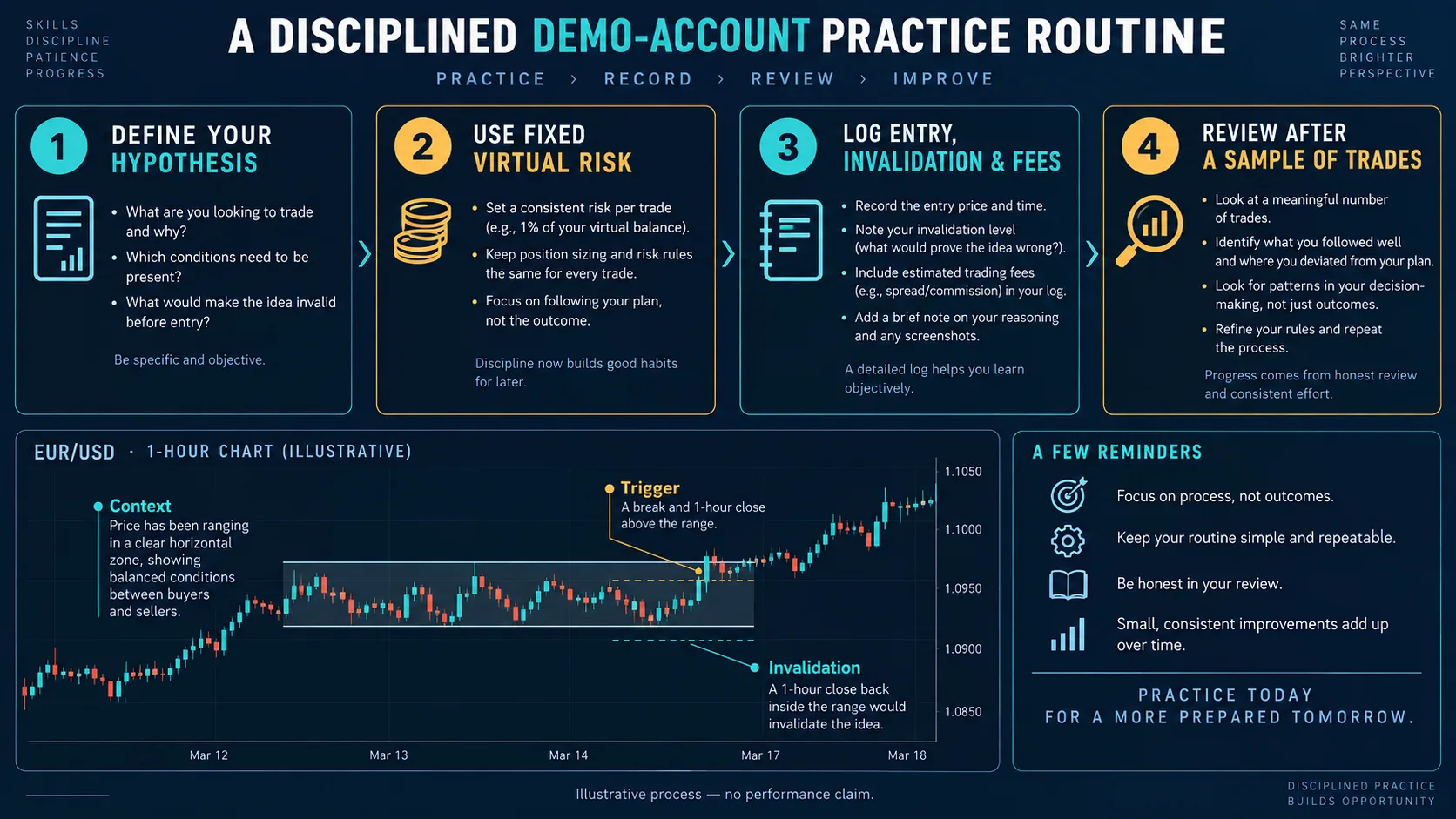
Use a written hypothesis, context, trigger, invalidation and risk cap for each simulated trade. Record the timestamp, symbol, timeframe, spread, slippage assumption, order result and reason for exit. A simple journal can be linked to the position-sizing formula so that volume follows a predefined risk amount rather than confidence.
Review after a meaningful sample defined in advance. Do not change rules after seeing the outcome and then call the result a test. For historical replay, separate in-sample rule design from out-of-sample review.
Demo limitations and common failure modes
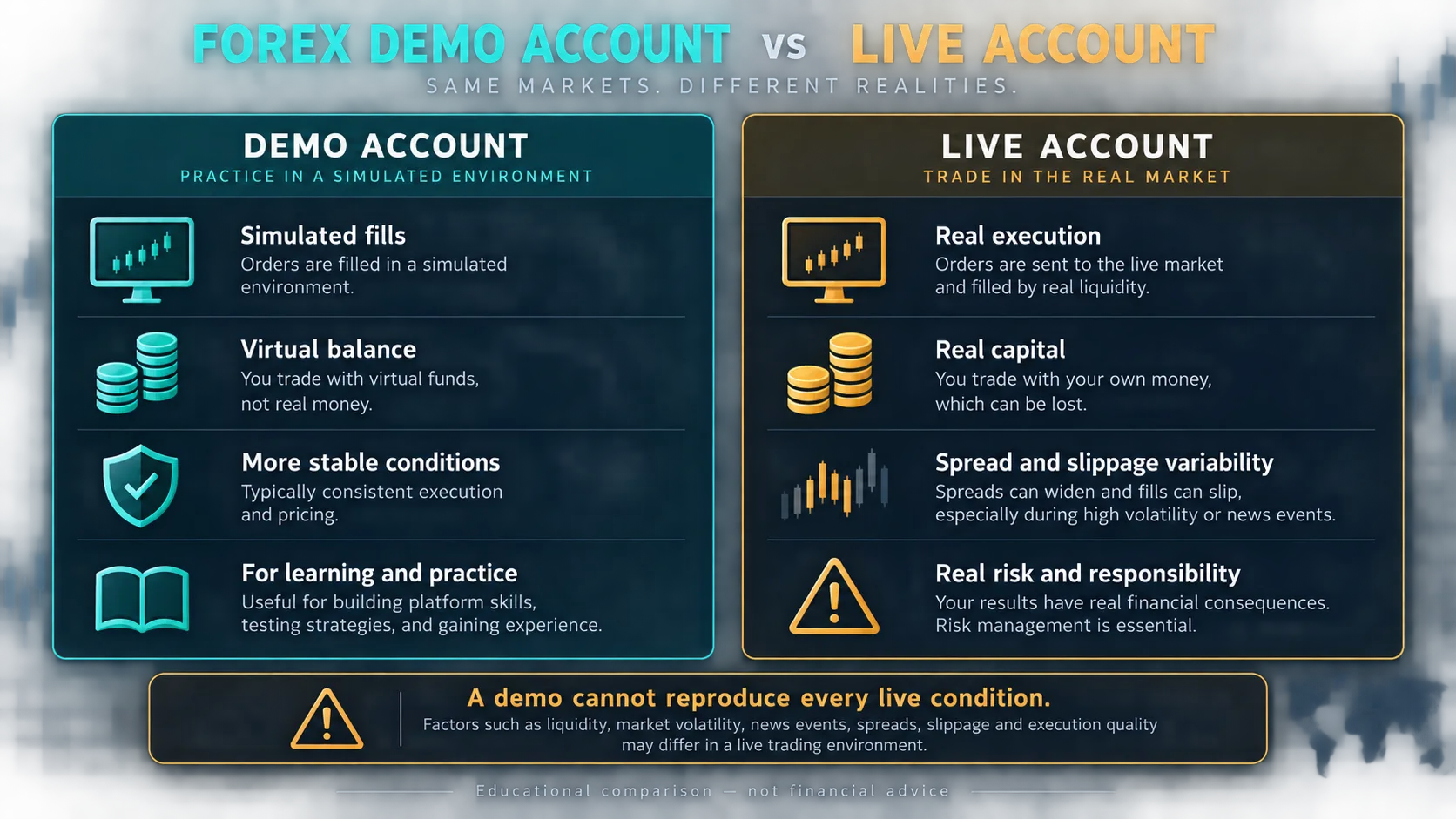
- Perfect fills: simulated orders may fill at requested prices even when a live feed would slip or reject.
- Stable spread: the demo may not reproduce news or thin-session widening.
- Unlimited virtual risk: a large balance can hide drawdown and margin behaviour.
- Data mismatch: candle history, timezone and symbol suffixes can differ from a live account.
- Behaviour gap: virtual losses do not create the same financial consequences as live losses.
A pre-live checklist
- Can you explain the provider, entity, account currency and contract specification?
- Have you measured spread, commission, swap and expected slippage?
- Does your position size follow a written risk limit?
- Have you recorded failures and rejected/requoted orders, not just clean examples?
- Can you state what the demo cannot prove about live execution?
Key takeaways
- A demo account is a controlled practice environment.
- Verify symbol specification, account terms and data assumptions before testing.
- Use a dated journal and predefined risk cap.
- Do not treat simulated fills or results as proof of live performance.
Sources and further reading
- MetaTrader 5 – Market Watch and symbol information
- CFTC – Eight Things You Should Know Before Trading Forex
Risk warning: This is educational content, not investment advice. Forex and CFD trading can result in losses. Verify current broker terms, test assumptions on a demo account and risk only an amount you can afford to lose.